Projects ADHD Kit
ADHD Kit
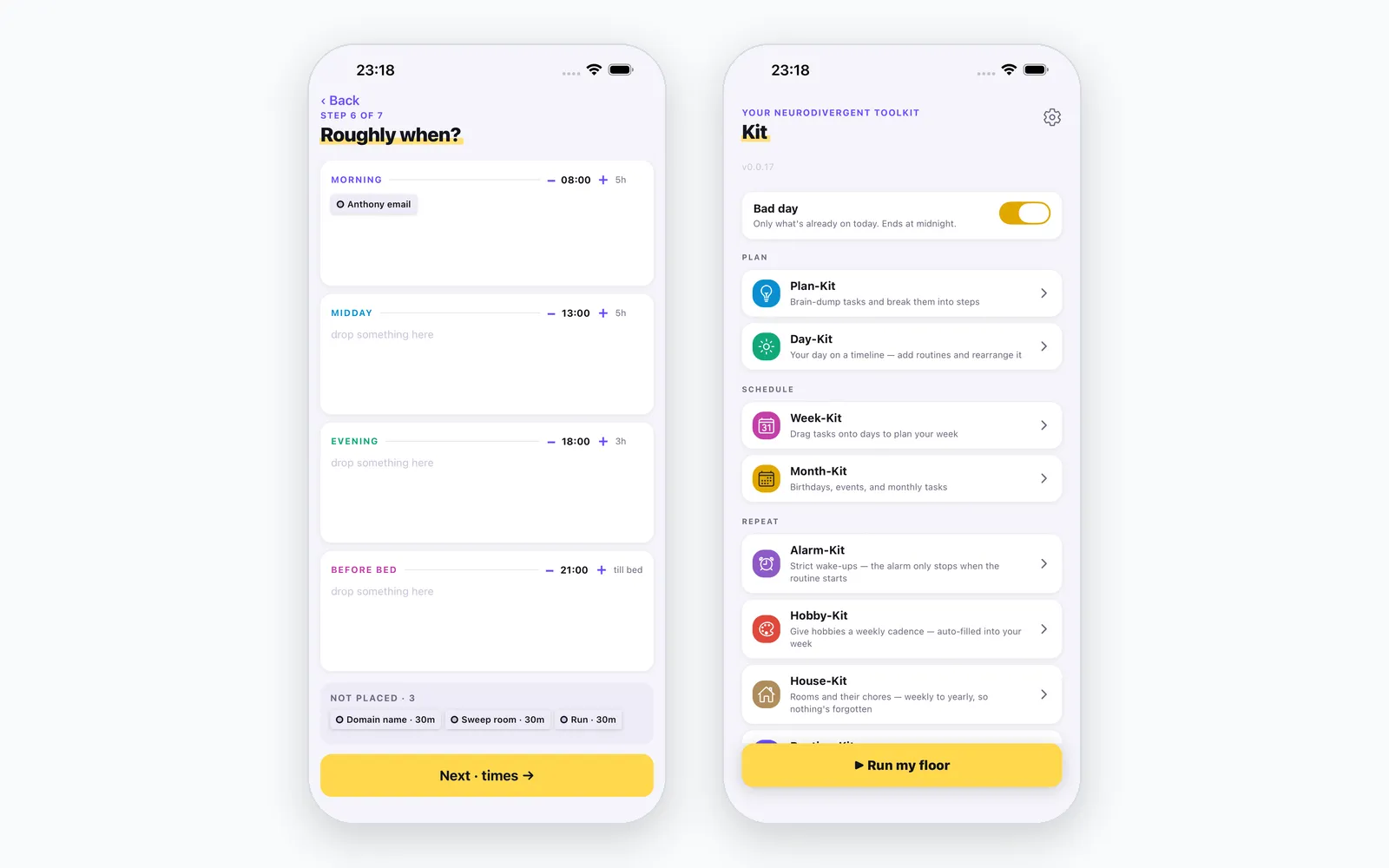
A planning app for neurodivergent brains: just a more helpful way to keep your day on track. Its Bad Day mode shrinks the day down to what's possible rather than nagging about what isn't.
- Stack
- TypeScript · Bun · Hono · Expo · React Native · PostgreSQL · Drizzle
The short version
ADHD Kit is a planner built as a set of small tools: a brain-dump inbox, day, week and month views, routines with a “race mode” for getting through them, and a Bad Day mode.
Bad Day mode is the part I care about most. On a day when I can’t do much, most planners keep showing me everything I’m failing to do. This one asks what’s actually possible today and hides the rest. The day gets smaller instead of the guilt getting bigger.
I’m the main user. It runs on a staging environment and isn’t in an app store. Some of the most useful documents in the repo are postmortems. One of them works out why the app was closing itself with no error at all: a deploy had failed quietly, the server was nine hours behind the app, and one missing field was enough to kill the process.
How it works
ADHD Kit is a set of small modules I call kits, sharing one account, one backend and one database. The app is Expo and React Native. The API is Hono and Drizzle on PostgreSQL, in TypeScript on Bun.
- Plan-Kit takes a brain-dump and breaks it into steps.
- Day-Kit places tasks on today’s timeline and lets you rearrange it live.
- Week-Kit drags tasks onto days.
- Month-Kit holds birthdays, events and monthly tasks.
- Task-Kit is a checklist for habits.
- Hobby-Kit gives a hobby a weekly cadence and fills it into the week.
- Goal-Kit is a dated goal with tickable benchmarks, practised through a linked hobby.
- Routine-Kit is an hourly routine timer with swipeable task cards.
- Progress-Kit takes progress photos with a ghost overlay of the last one. The photos stay on the phone.
Brain-dump first, plan second
Plan-Kit is a seven-step flow. Two steps only appear when the dump added something new, which is why a quiet day shows five.
Step 4, “Break into steps”, has no screenshot here: you type the steps as they come, or move on with one tap.
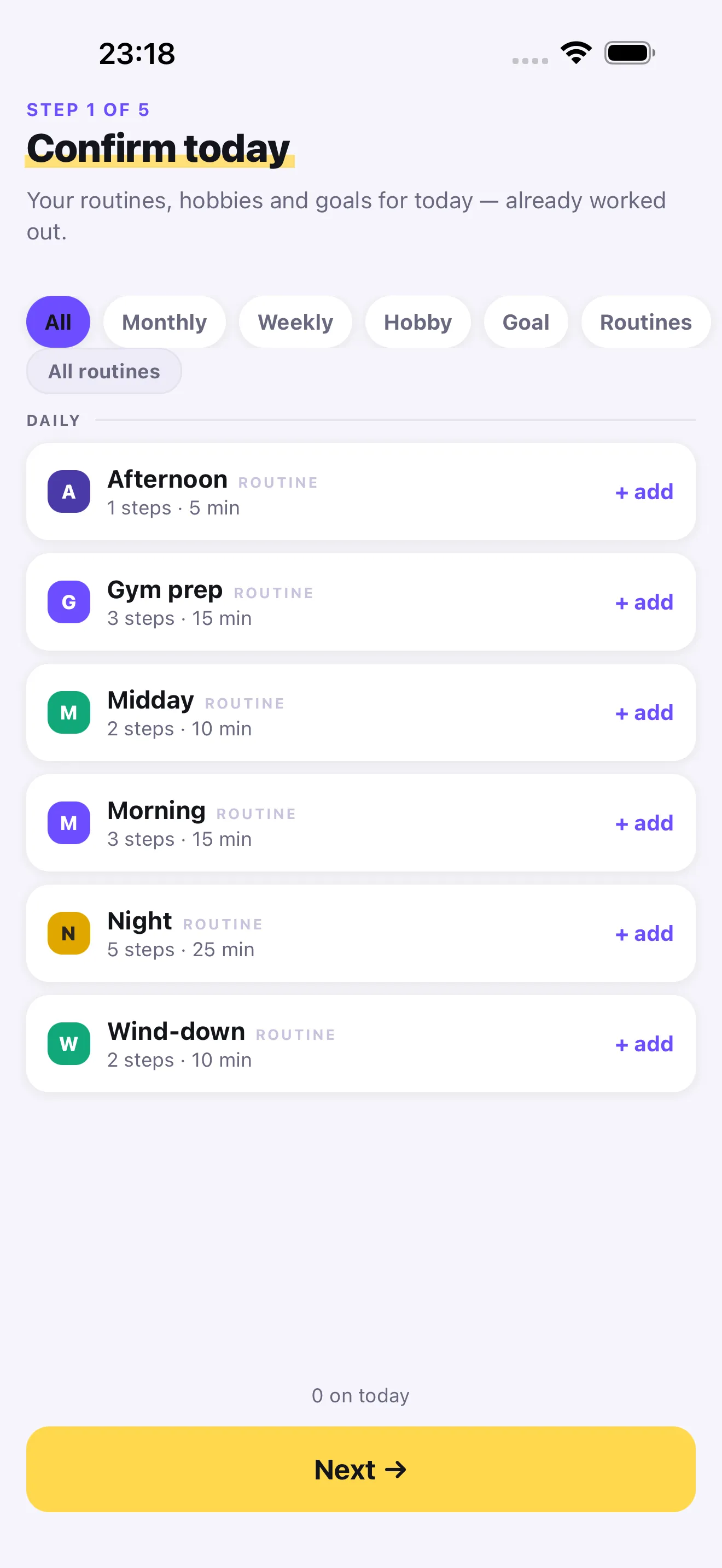
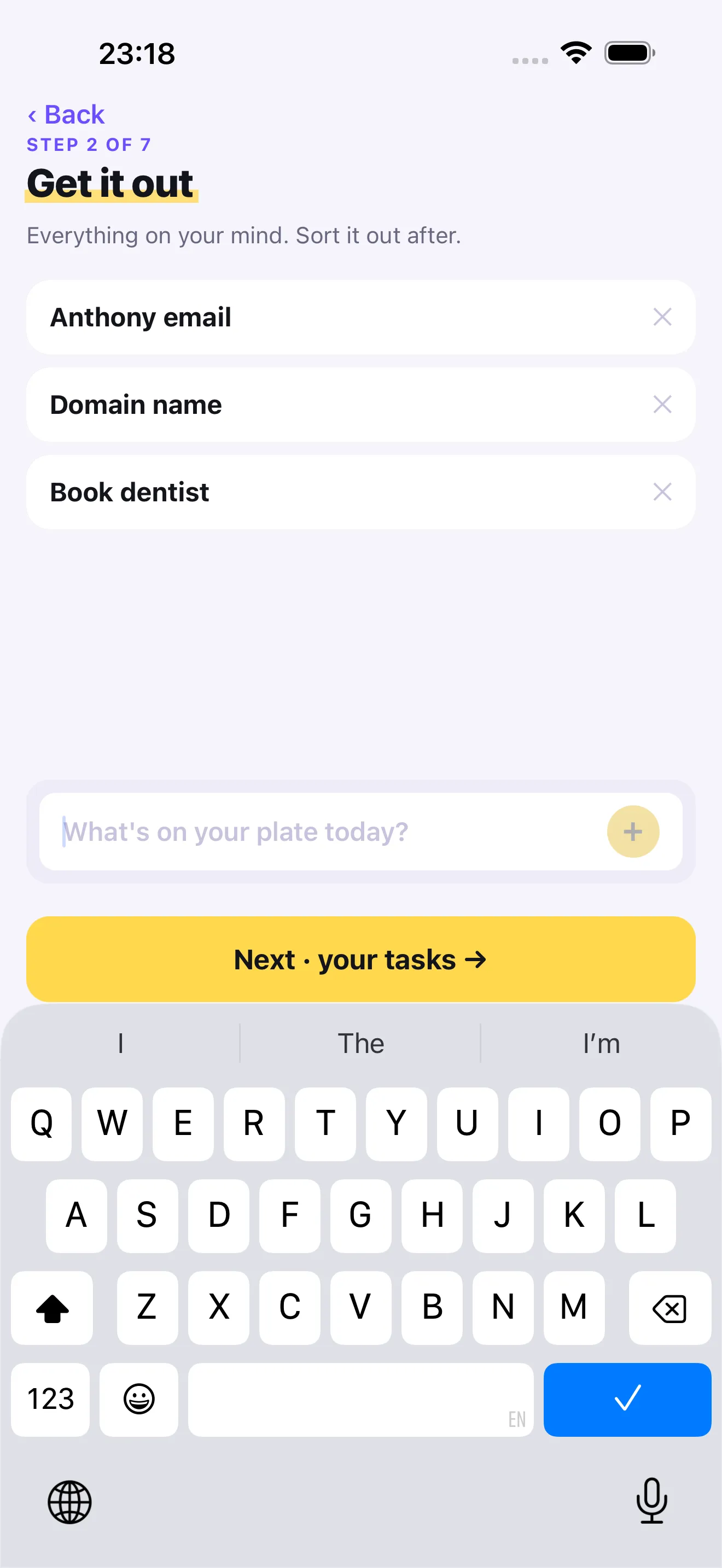
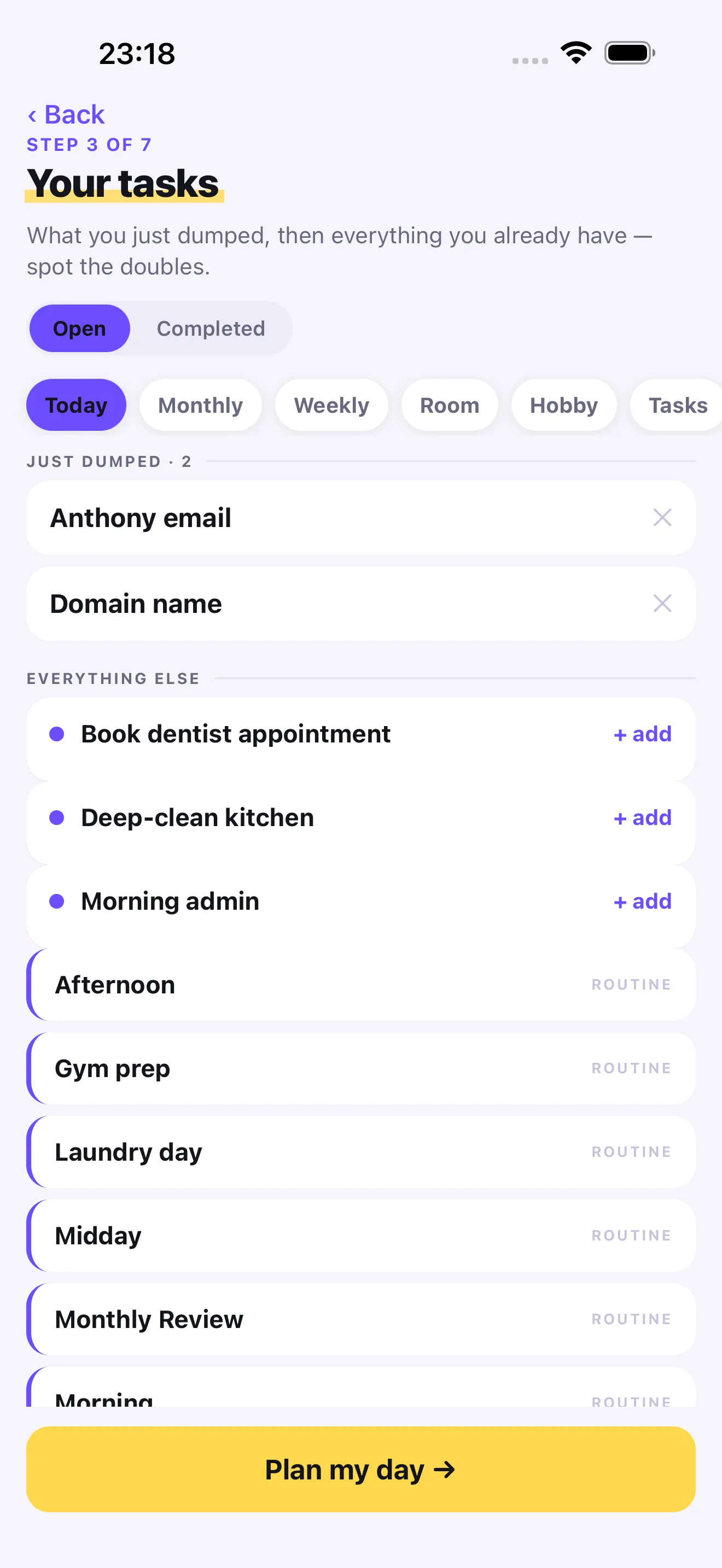
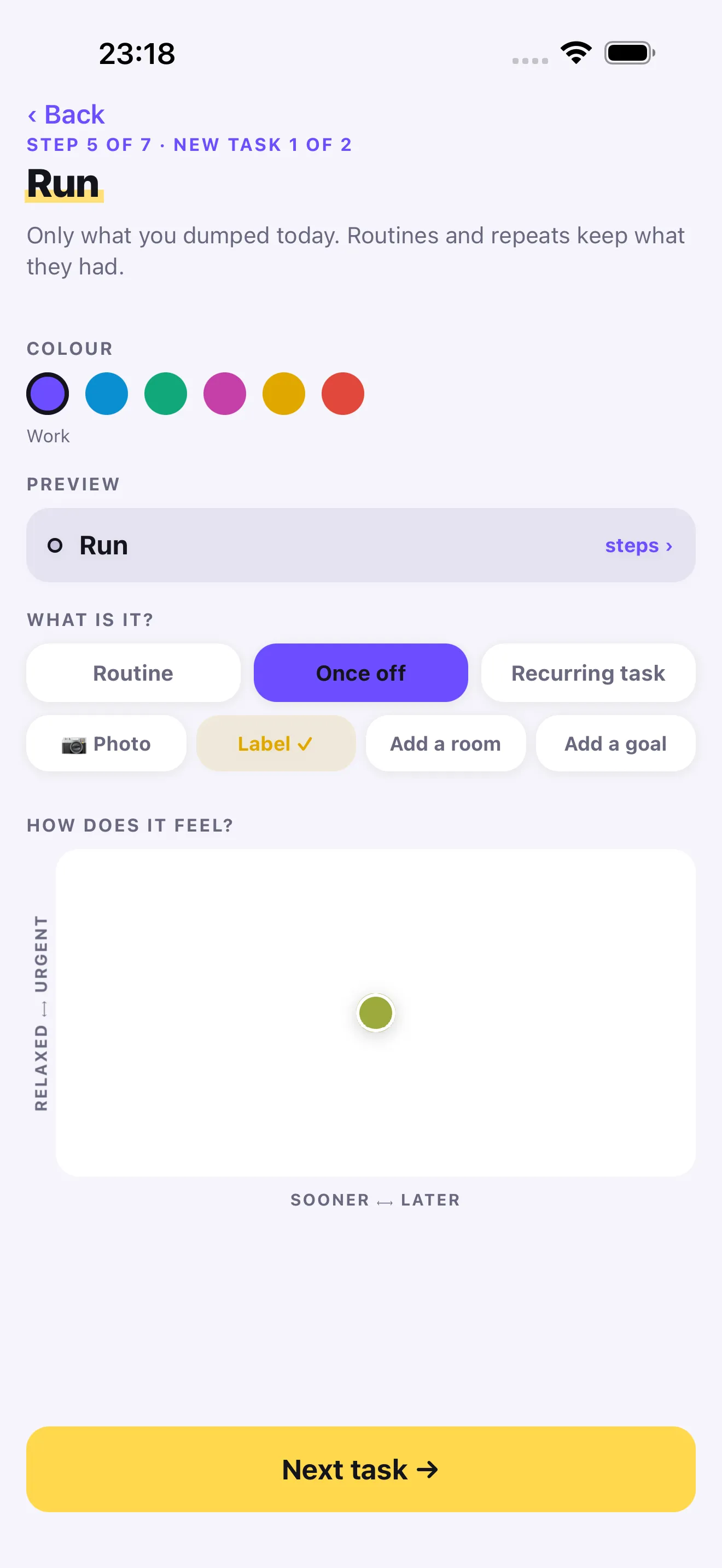
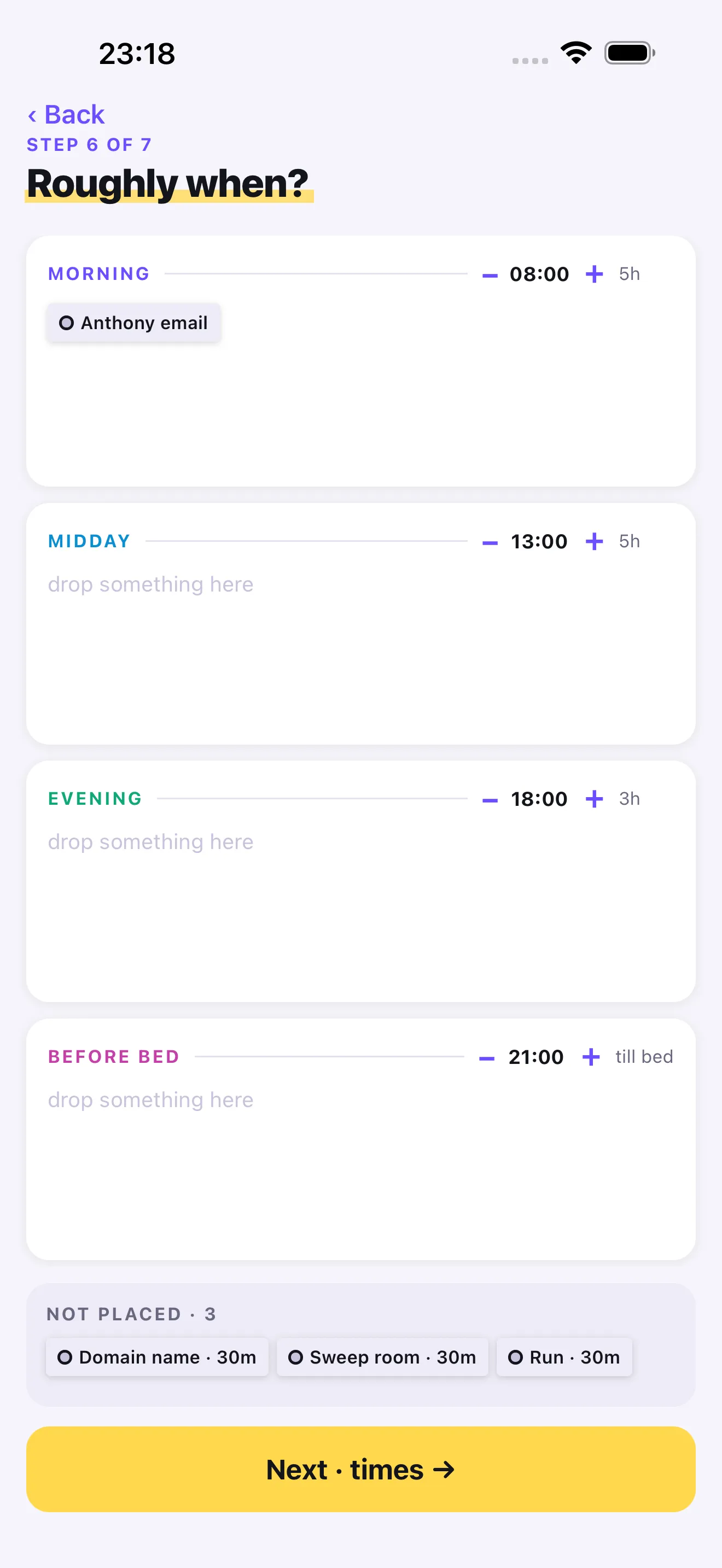
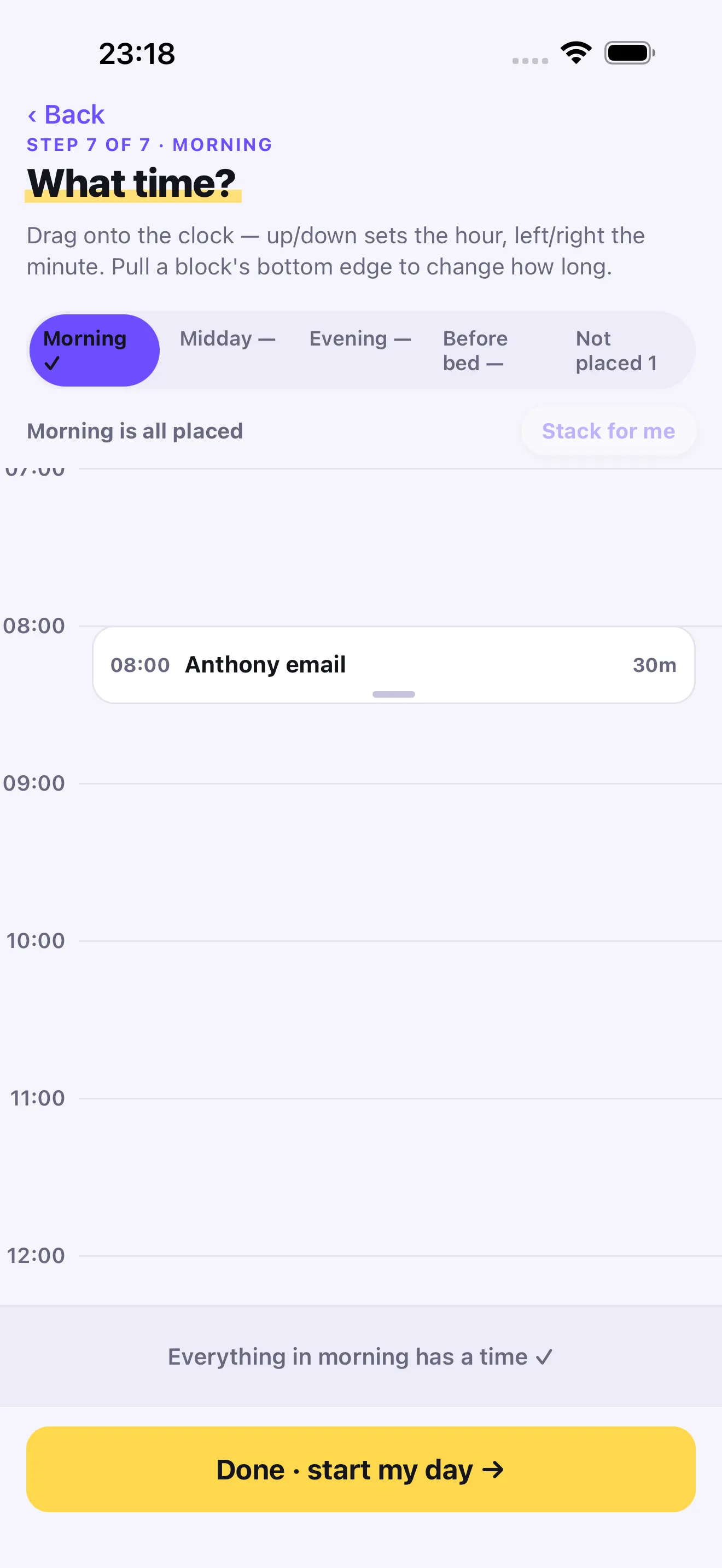
Getting everything out of my head comes before any decision about it.
Bad Day mode
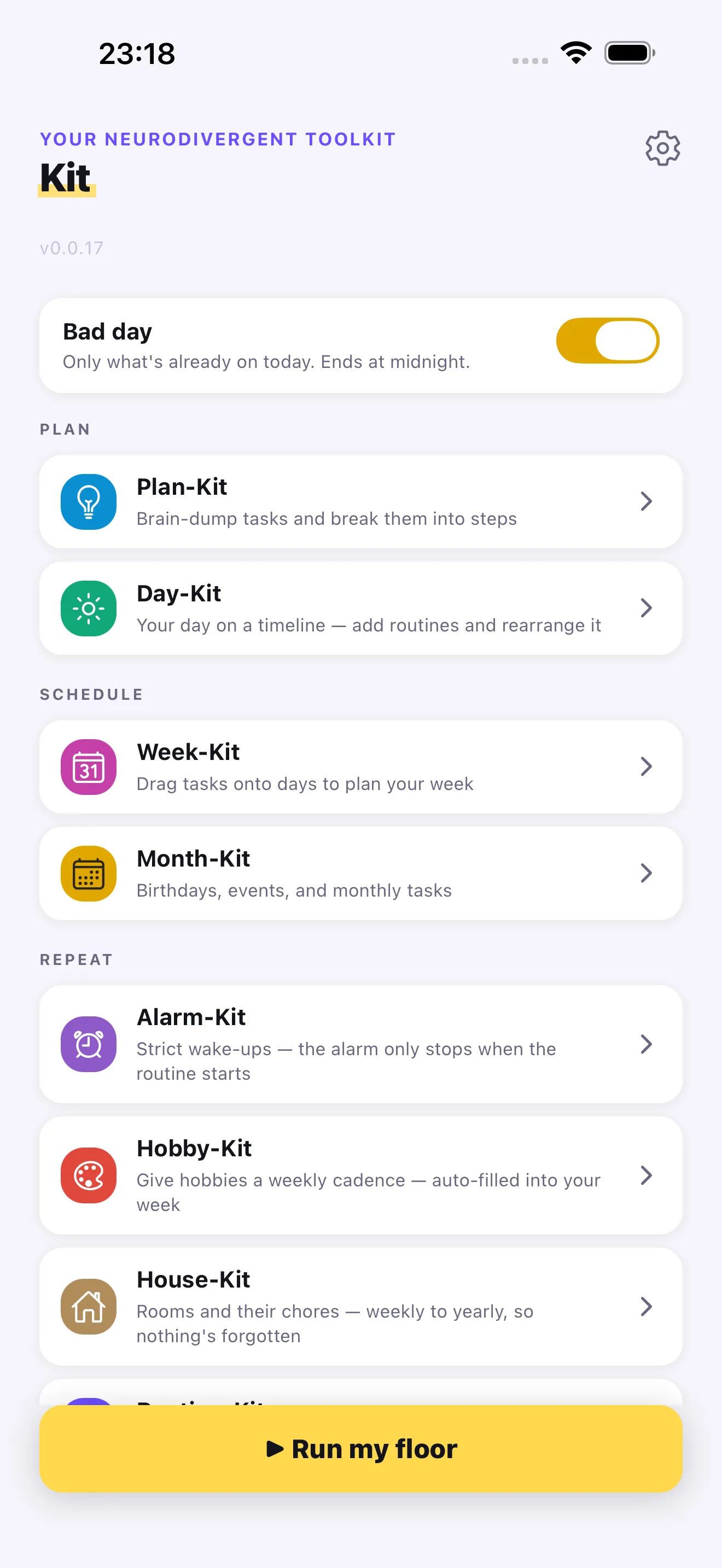
Bad Day mode is a per-day switch on the Home screen, stored server-side and keyed on the user and the date. Tomorrow is a different date, and the mode is off by construction. No cleanup job.
When it is on, five things change.
- Routines play only the steps marked essential.
- Nothing new can arrive on today. Planning tomorrow is untouched.
- Only work a kit placed on today stays required. Everything else steps out of the way.
- A survival floor appears, a short list written on a good day. The Home button changes from “Run my day” to “Run my floor”.
- The scoring goes quiet.
It never writes to your data. Turn it off at 4pm and the day comes back exactly as it was.
The postmortem
The postmortem works out why the app was closing itself with no error.
A pull request shipped a new API field and the app code that depended on it together. Its staging deploy failed on an SSH timeout, and staging kept serving the previous image. My phone had the new app talking to an API nine hours behind it. One field came back undefined, .find() on it threw during render, and a release build turns an uncaught render error into a hard crash. No red screen, because release builds don’t have one.
The fix had two parts: redeploy staging, and guard both reads. A stale server now means a smaller feature set, not a crash.
Where it stands
I’m the main user. It runs on staging and isn’t in an app store. Two things in the code are still called a routine. Merging them into one is in progress, not finished.
The long version
This section is being written.